Case study
Handle With Care
A 2D physics platformer with a tutorial level, an objective HUD, star-rated results, level select, saved settings, original pixel art and sound, and a Windows export preset.
- Role:
- Programmer, pixel artist, and audio on a team of three
- Timeline:
- Sep - Oct 2026
- Stack:
- Godot, GDScript, Aseprite
The problem
Handle With Care is built on one rule: the courier cannot carry anything, so every package has to be kicked. Players charge a kick, aim with the mouse, and send a physics-driven box toward a delivery zone, but every kick damages it and the fifth breaks it. A zone only counts when two packages sit inside it for five seconds, and each level scores three objectives: deliver everything, finish in under five minutes, and break nothing.
Three people built it in parallel in one Godot project. One teammate built the core of the game: the first player controller, packages, level manager, delivery zone logic, and the tutorial level. The other built the hazards, the first drafts of the menus and result screen, and the pressure plate and lever. I owned the interface and presentation around them: the HUD and objectives, the result screen, title, pause, settings, level select and credits, tutorial signs, camera feel, pixel art, music and sound effects, and the Windows export.
Constraints and tradeoffs
Constraint
Pixel art has to stay crisp at any window size.
Decision
The HUD and result screen are laid out in a fixed 480x270 logical view and the menus in 240x135, then scaled to fit the window and centred, while backgrounds cover the whole window. The smallest allowed window is 960x540, and the Silkscreen font is set to size 8 so it renders without blur. Layouts are locked to their design resolution, so a wider window gets more background rather than more interface.
Constraint
Kicking has to feel fair even though it is driven by physics.
Decision
Kick reach was evened out on both sides, a package under the courier's feet can be kicked, and a faint aim arrow is always visible and strengthens when a package is in range. The arrow rides a 40 px ring around the player. Bugs found in play were fixed at the source: a second kick starting mid-animation, a cancelled kick still charging the next one, and a charge surviving a pause. The cost is more state to keep straight in the player controller.
Constraint
The courier has to walk stairs without being able to climb onto packages.
Decision
Step-up logic lets the player climb steps up to 17 px, deliberately lower than a package's 27 px height, and the sprite glides over each step instead of popping. Named collision layers (world, player, packages) let the courier walk through packages while still colliding with the level. This is custom movement code on top of Godot's body movement, so there is more to maintain than the default.
Constraint
A hard kick can launch a package out of the level.
Decision
A package that leaves the level bounds, measured from the main tilemap plus a 256 px margin, is reset to where it started and the camera returns to the player. This hides the failure instead of preventing it, but no kick can strand a level.
Constraint
Three contributors had to build in one Godot project without overwriting each other.
Decision
Work moved through feature branches and pull requests (the HUD, result menu fixes, tutorial signs, and title and settings), with merge commits where branches met. Scene files are text, so most merges worked, but early integration needed hand fixes, such as unifying a delivery zone group name across branches.
How it works
Level_Manager is the main scene. It owns the camera, a holder node for the current level, and the User_Interface layer. The interface layer contains the main menu, level select, credits, settings, result screen, and HUD, and talks to the manager only through signals. A level is an ordinary scene with a player, packages, delivery zones, signs, and a tilemap. The manager instantiates it and announces it, and the HUD binds to that level's packages and zones.
Deep dive
Who built what
The split below comes from the git history. Commits under my name account for 66 of the project's 93, and the work divides along clear lines: one teammate built the gameplay core, the other built hazards and the first user interface, and I built the layer that turns those pieces into a game a stranger can pick up, then did most of the polish.
The kick
Hold the left mouse button to charge. Power climbs from 100 toward 2,200 at 300 per second while the aim arrow steps through six sizes, each with a rising tone, and a right click cancels. Releasing plays the kick animation, and only when the animation finishes does the game look for the closest package in reach and apply an impulse along the aim direction. Waiting for the animation means the hit lands when the foot does, and it needed guards: a second kick cannot start mid-animation, a cancelled kick resets its charge, and a pause drops a half-charged kick.
Package health and delivery
A package has 5 HP. Each kick takes one, the sprite changes to damaged at 3 HP or less, and at 0 it breaks. A delivery zone needs two deliverable packages (not destroyed and not already delivered elsewhere) inside it, then starts a five-second countdown. When the countdown ends it checks again, because a package may have broken or been knocked out in the meantime. A completed zone locks, so packages that leave it afterwards change nothing. The HUD counts a package that was delivered and broken later as delivered, but it still fails the no-package-destroyed objective.
Objectives, the HUD, and the result screen
The HUD is one script that binds to each level as it loads. It finds the level's packages and zones, tracks each package through waiting, active, delivered, and lost, keeps the clock, and counts kicks and breakages. It reports a result exactly once, when the main goal is complete or can no longer be completed. The clock keeps running past the five-minute limit so the result screen shows the real time. On a win, confetti falls. On a loss, the level drains 70 percent of its colour behind the result. Retry reloads the level, and Back returns to level select.
Pixel art, audio, and the build
The art is pixel art made for the project in Aseprite. Most of the sprites are generated by Lua scripts kept in the repo, so a sheet can be regenerated and tuned instead of redrawn. The music and a few effects are CC0 tracks credited in the README, the menu click and typing sounds are synthesized from scratch, and separate Music and SFX buses give the settings screen working volume sliders. Volume, camera zoom, and fullscreen are remembered between launches. The Windows export preset produces one self-contained executable.
How the work was paced
The first commit landed on Sep 17, but most of the game was built in October: 62 of the 93 commits came in the final three days. My own commits cluster in the last stretch, mostly fixes and polish found by playing the build: smoother camera movement on stairs, kick edge cases, focus handling, and the title, settings, and result screens rebuilt to match mocked layouts.
Product screens
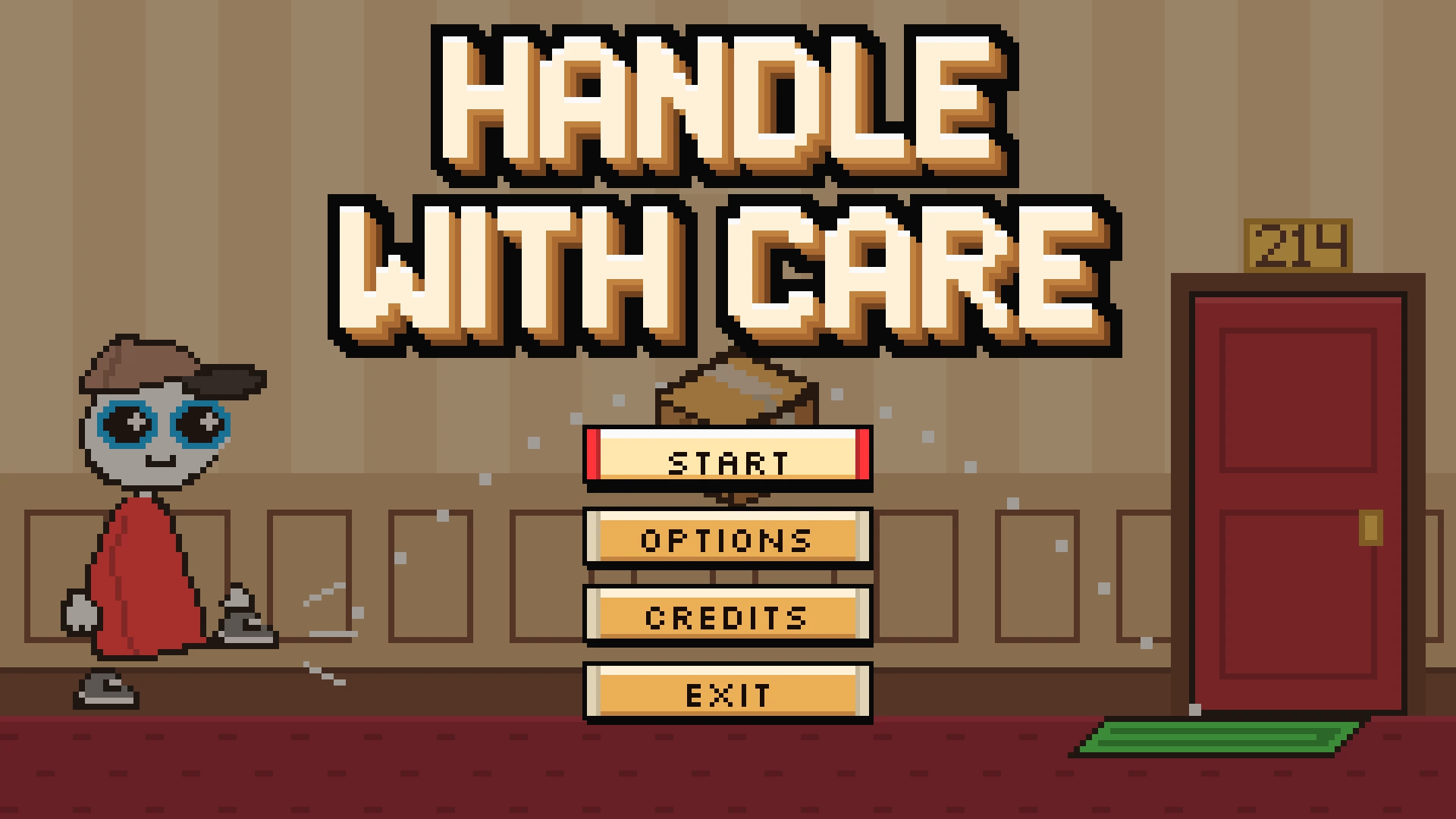
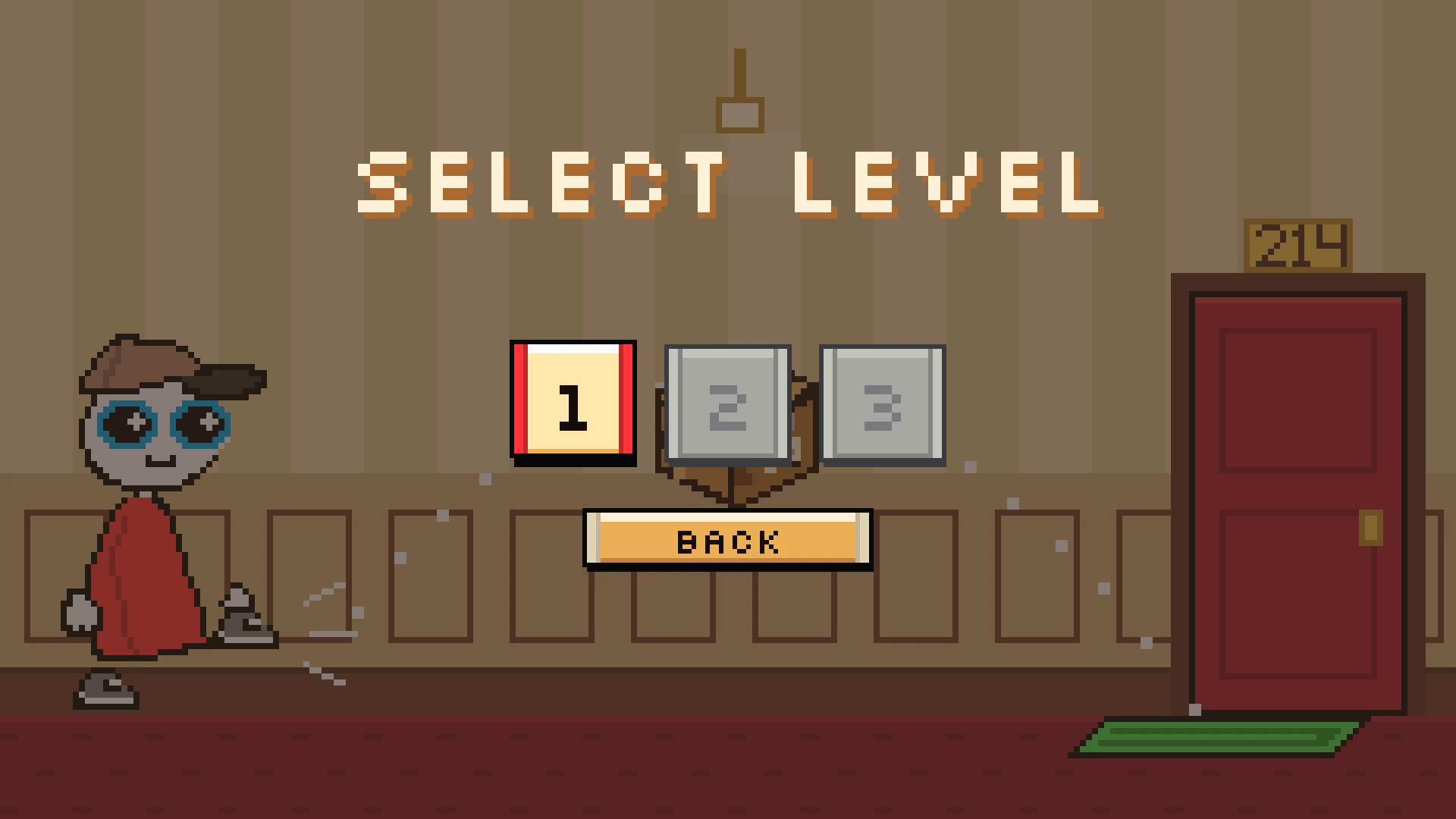
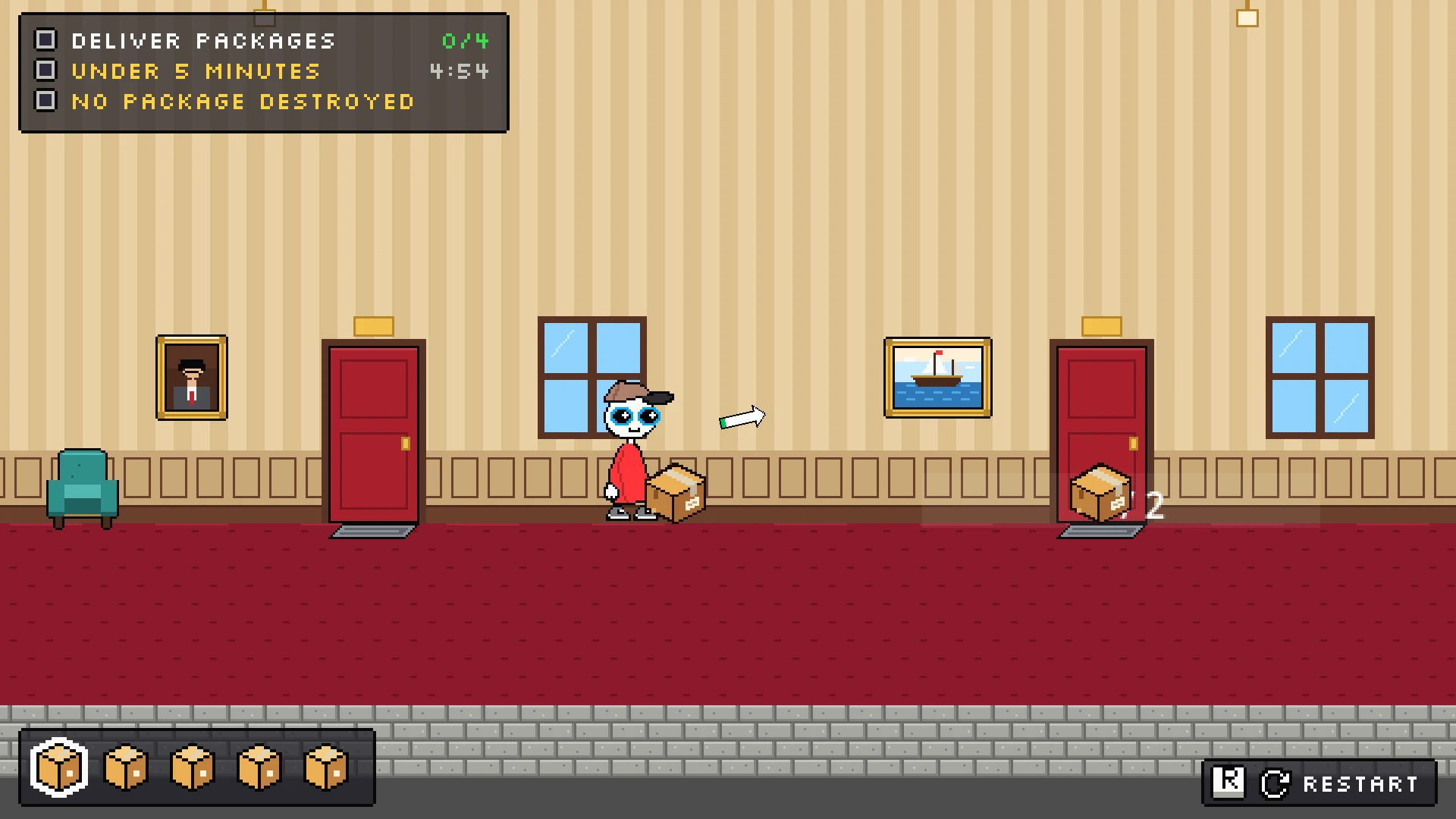
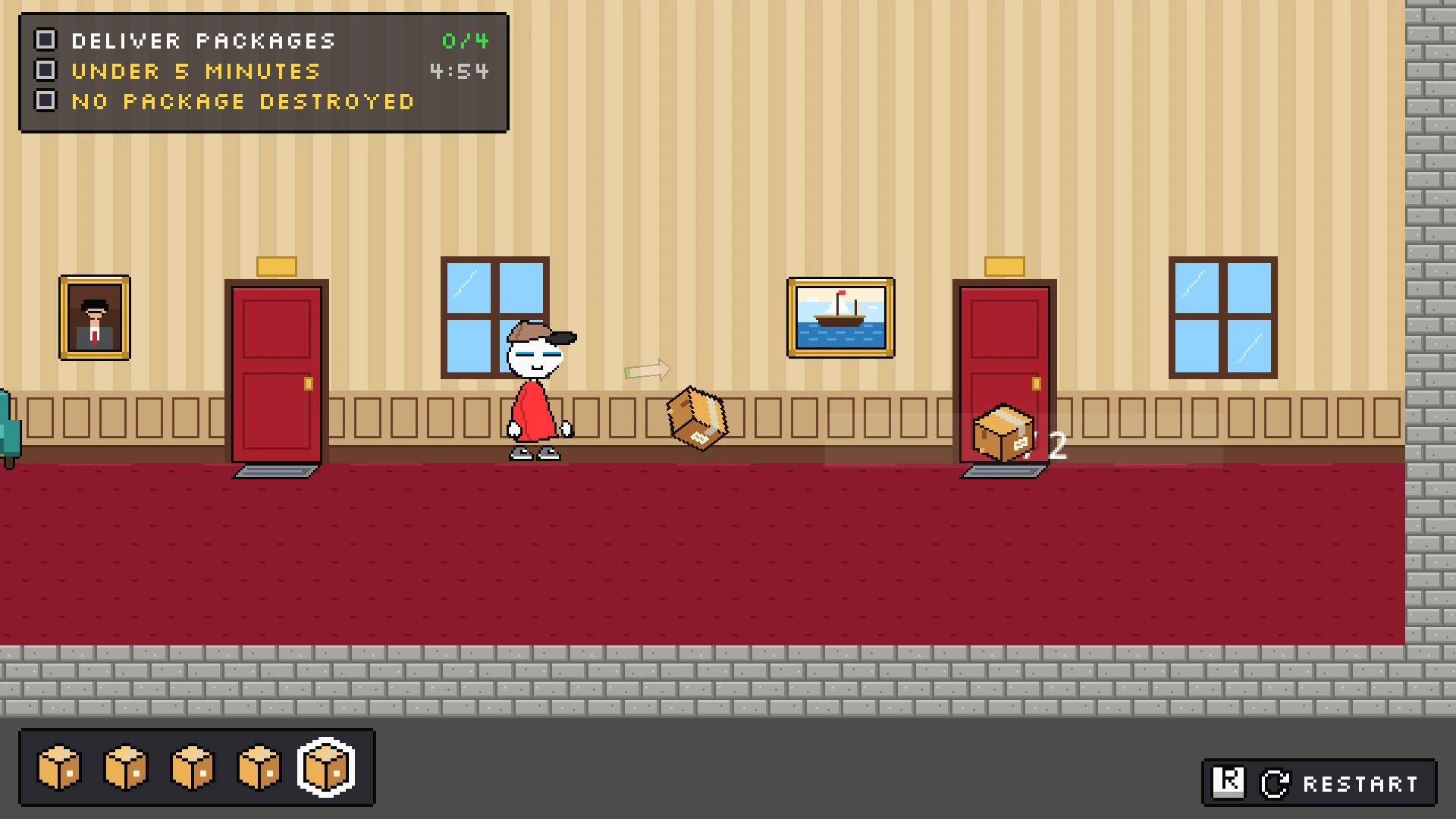
Results and takeaways
- 3
- Team size
- 66 of 93
- Commits, mine of total
- 34
- Days, first to latest commit
- 62
- Commits in the final 3 days
- Named physics layers (world, player, packages) let the courier walk through packages while still colliding with the level, which one shared layer could not do.
- Tutorial text moved from floating labels into signs and NPC speech bubbles to make it readable, and the signs draw behind the player so they never block the action.
- Rebuilding the title, settings, and result screens to match mocked layouts (layout A for the HUD, A2 for results) gave the interface one target to build toward.
- Only one level exists so far. The level manager and level select already support more, so the next step is content, not structure.